
Graphic design is no longer just a creative function, it’s a business-critical workflow. Whether you’re building marketing assets, presentations, infographics, or digital campaigns, your design process directly impacts speed, brand consistency, and overall output quality. In 2026, companies that optimize their graphic design workflow move faster, reduce revisions, and deliver clearer communication across channels.
But optimization doesn’t mean rushing. It means building a design process that is structured, repeatable, and aligned with business goals. Here’s how to improve design efficiency without sacrificing creativity.
1. Build a Structured Graphic Design Workflow
Most design bottlenecks don’t come from lack of talent. They come from unclear processes. If briefs are vague, feedback is scattered, and assets are stored randomly, even strong designers struggle to deliver efficiently. A structured graphic design workflow creates clarity before creativity begins.
Start With a Clear Creative Brief
Every optimized design process begins with alignment. A strong brief reduces back-and-forth and prevents unnecessary revisions.
A good design brief should include:
- Objective of the asset (awareness, conversion, reporting, etc.)
- Target audience and context
- Key message or insight
- Required formats and deadlines
- Brand guidelines or references
Clear briefs improve design efficiency because designers spend less time guessing and more time executing.
We’ve supported Fortune 500 companies with strategy-led design execution. Learn more about our Graphic Design Services and how we can streamline your creative process.
Standardize Your Review and Feedback Process
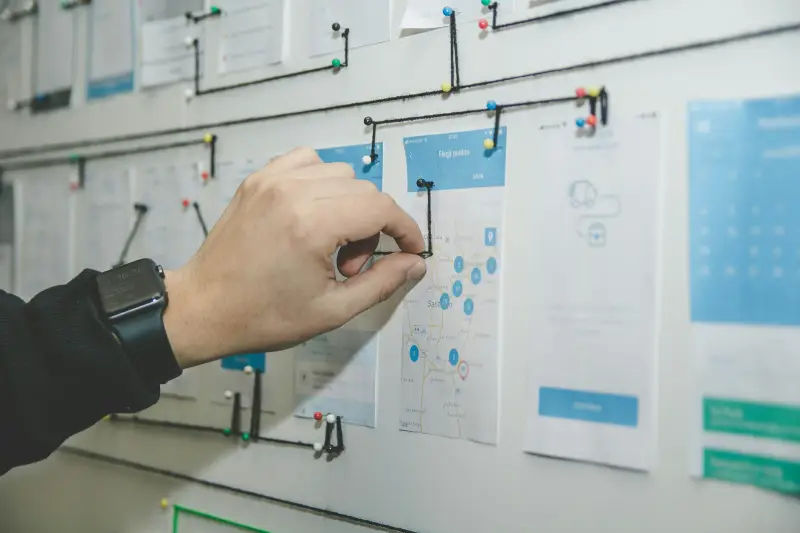
Unstructured feedback is one of the biggest productivity drains in creative workflow management. When comments come from multiple channels-email, chat, PDF notes-projects stall.
Instead, centralize feedback using collaboration tools like shared dashboards or design review platforms. Assign a single decision-maker when possible to prevent conflicting instructions. A structured feedback loop speeds up approvals and reduces emotional or subjective revisions.
Source: Unsplash
2. Create Systems That Scale with Demand
As organizations grow, so does design demand. Without scalable systems, teams become reactive. Optimizing your graphic design process means building frameworks that allow consistent output at higher volumes.
Develop Design Templates and Brand Systems
One-off designs slow teams down. Templates, on the other hand, create repeatable structure while preserving creativity where it matters.
Templates are especially useful for:
- Corporate presentations
- Social media graphics
- Infographics
- Brochures and reports
- Marketing collateral
- Your design system should define:
- Typography hierarchy
- Color palette usage
- Grid and layout structures
- Icon and visual styles
- Image treatment rules
This ensures brand consistency while reducing production time.
Use Modular Design Principles
Modular design allows elements to be reused across assets without redesigning from scratch. For example, a well-built infographic component can be adapted for presentations, reports, or digital campaigns.
Modular design improves:
- Speed of execution
- Visual consistency
- Cross-platform adaptability
- Long-term scalability
Instead of rebuilding layouts repeatedly, teams refine and evolve existing systems.
3. Improve Collaboration Between Designers and Stakeholders
Design process optimization isn’t just about internal systems, it’s about communication. Many inefficiencies happen when business teams and design teams operate in silos. Better collaboration leads to fewer revisions and stronger outputs.
Align Design with Business Objectives Early
Design should support strategy, not decorate it. Before design work begins, stakeholders should clarify what success looks like.
Is the goal engagement? Conversion? Clarity in reporting? Investor confidence?
When designers understand the outcome, they make stronger visual decisions. This reduces misalignment later in the process.
Questions to align with early:
- What action should the audience take?
- What is the single most important message?
- What data or proof must be highlighted?
- Where will this asset be used?
Clear objectives reduce guesswork and improve design performance.
Leverage Technology Without Overcomplicating the Workflow
Modern design workflows benefit from AI-assisted tools, shared asset libraries, and cloud-based collaboration platforms. But more tools don’t automatically mean better processes. Optimization requires balance.
Effective teams use technology for:
- File organization and version control
- Template automation
- Asset resizing for multiple platforms
- Real-time collaboration
However, they avoid tool overload. Too many platforms create confusion and slow production. The goal is efficiency, not complexity.
Final Takeaways
Optimizing your graphic design process isn’t about cutting corners. It’s about removing friction. A structured workflow, scalable design systems, and clear collaboration channels can dramatically improve output quality and turnaround times.
When your graphic design workflow is aligned with business strategy, every asset becomes easier to produce, and more effective once published. Clear briefs reduce revisions. Templates improve consistency. Defined feedback processes speed up approvals.
In 2026, the companies that win aren’t necessarily the ones designing the most, they’re the ones designing smarter.
If your design process feels reactive, scattered, or overloaded, it may be time to step back and rebuild it around clarity, structure, and scalability.